Display styles
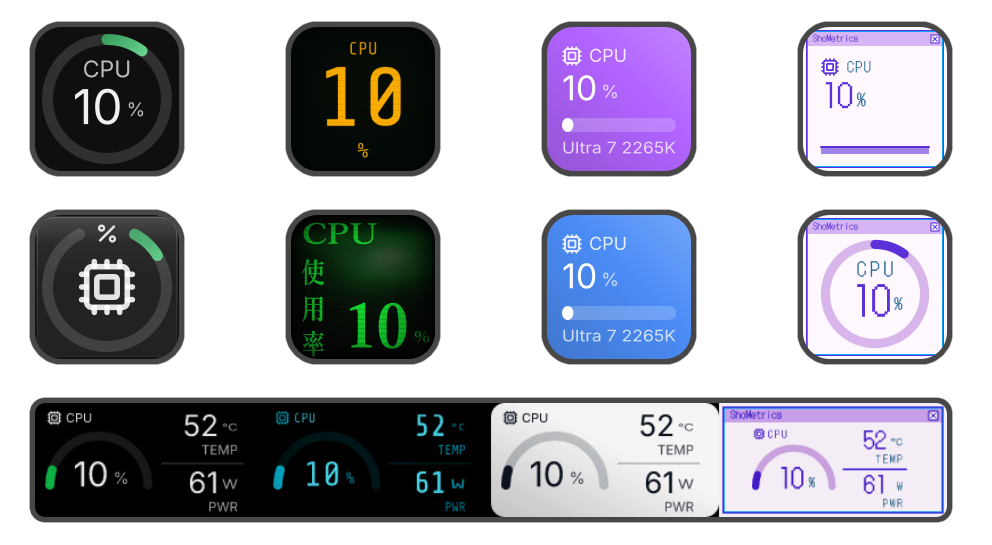
Many visual variants, from clean rings and bars to lines and text-first tiles. Pick the look that fits each key.
ShoMetrics turns your Stream Deck keys into live system metrics: CPU, GPU, memory, disk, network, deeper hardware sensors, and custom metrics from HTTP JSON endpoints.
On Windows, an optional helper adds deeper hardware sensors. Many metrics work without it.
ShoMetrics is a free, open source project.
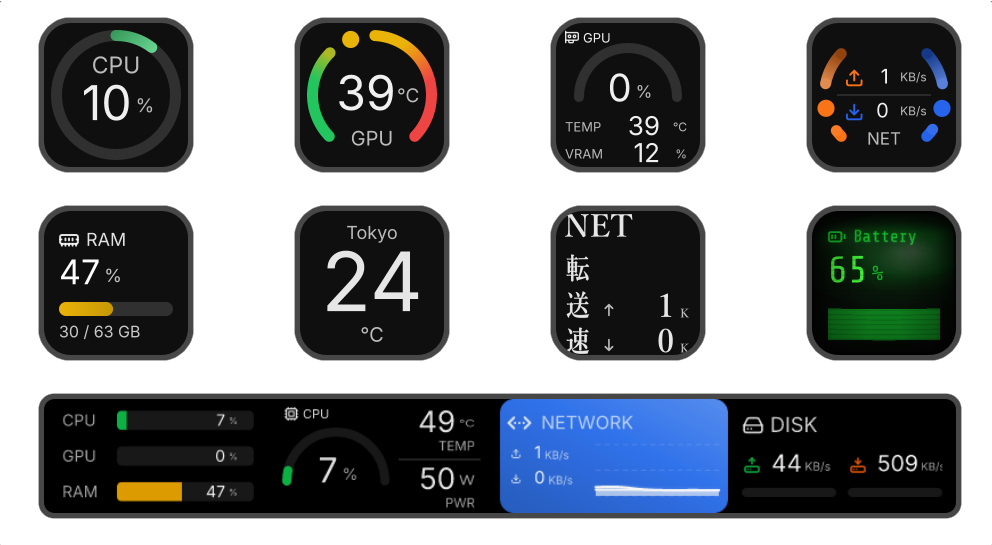
Many visual variants, from clean rings and bars to lines and text-first tiles. Pick the look that fits each key.
Install from the Marketplace and start dropping metrics on keys, on both Windows and macOS. The plugin runs without admin rights; only the optional deep-sensor helper (Windows only) needs them.
Free to use, open source, and built in public.
Point a key at an HTTP JSON endpoint — a weather API, a home-automation bridge — and turn a value into a live metric. See the guide.
Add ShoMetrics to Stream Deck, then find CPU, GPU, Memory, Disk, and Network actions in the Stream Deck app.
Pick the metric you want to watch. The key updates live as your system changes.
Use the Property Inspector to choose the view, theme, colors, labels, and chart details that fit the key.
Yes. ShoMetrics is free and open source.
As of today, yes — ShoMetrics runs inside the Stream Deck. You don't need the physical hardware, though: Elgato's Virtual Stream Deck works too, and it's free if you already own a Stream Deck device.
CPU, GPU, memory, disk, and network out of the box, with more sources on the way. GPU metrics work natively on NVIDIA cards and on macOS; Intel and AMD GPUs need the helper installed for deeper readings.
Windows 10, version 1809 or later (Windows 11 is recommended), and macOS 12 or later on Apple Silicon. ShoMetrics may run on other systems, but those are neither tested nor recommended.
The helper is a small Windows-native companion app that unlocks deeper hardware sensors, such as fan speeds, voltages, and per-component temperatures. It builds on the well-known LibreHardwareMonitor project. See the helper guide for setup.
It's designed to be, with open source at its core, so you don't have to take that on trust. Being able to see all the way through a system monitor is a big part of why ShoMetrics exists: the code is public, release files include hashes, and you can build ShoMetrics yourself from source. Please note, the optional Windows helper installs a system driver to reach deeper sensors (see the helper guide). No software can claim to be completely free of bugs, but the project stays transparent so you can judge it on the code, not on a promise.
We build ShoMetrics on the principle that a monitor should stay out of your way, and put real effort into keeping overhead low. Monitoring always costs a little, but the aim is to keep it small enough that you don't notice it.